

Claude Code Skills vs MCP: The Essential 2026 Guide (Plus Hooks and Plugins)
A skill teaches Claude how to do something; MCP connects it to an outside service. What Anthropic's docs say about Claude Code skills vs MCP, hooks and plugins, which one costs more context, and when to use each.
 bufferAbout the author8 min read
I kept seeing people install five MCP servers for jobs a short skill file would do, then wonder why Claude Code feels slow and their limits run out sooner. So I went through Anthropic’s own Claude Code docs to sort out Claude Code skills vs MCP, plus the two other things people mix them up with: hooks and plugins. Everything below comes from Anthropic’s “Extend Claude Code” page and the pages it links to, checked on October 27, 2026.
Claude Code skills vs MCP: the short answer
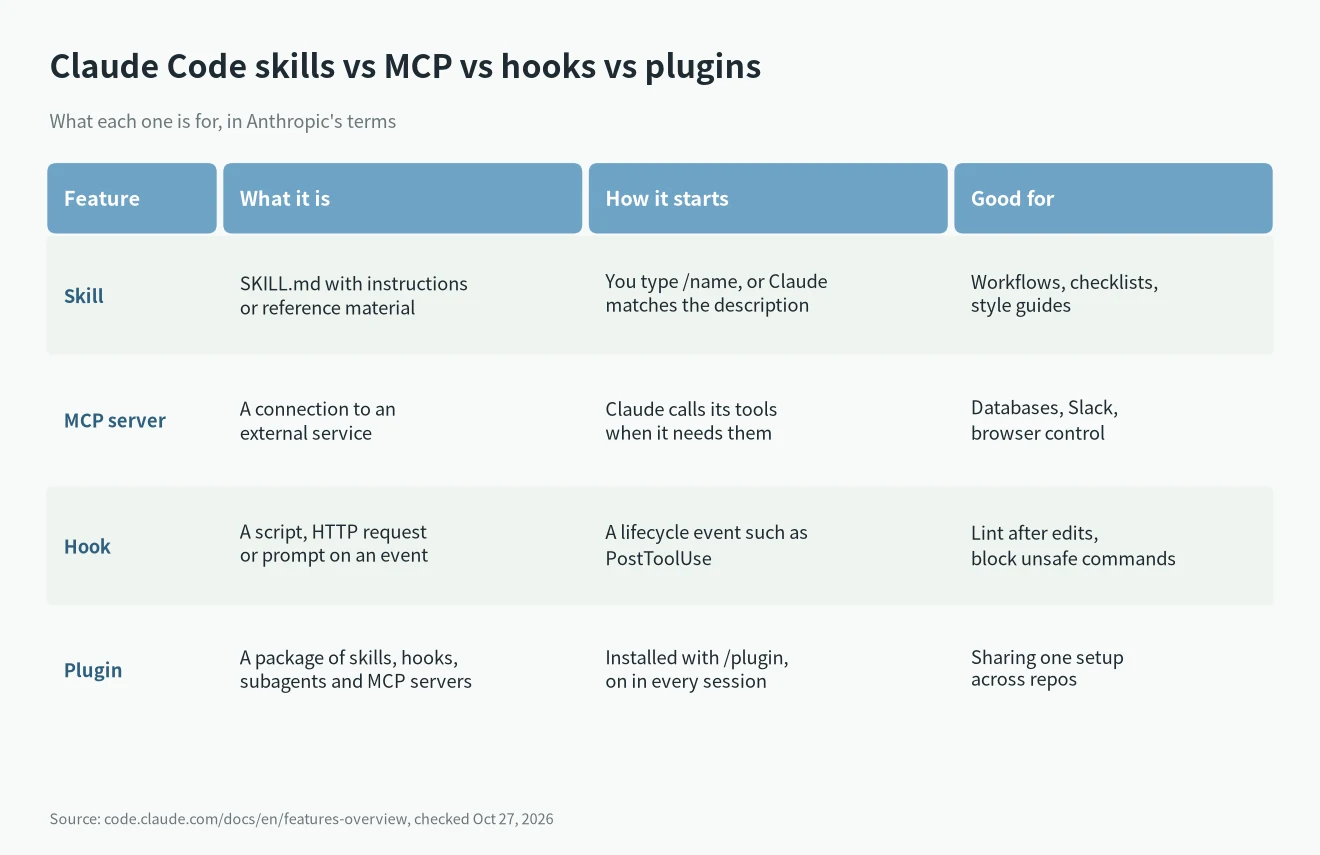
A skill teaches Claude how to do something. MCP gives Claude a connection to something outside your computer. Anthropic puts it in one line: “MCP connects Claude to external services. Skills extend what Claude knows, including how to use those services effectively.”
- Skill: a markdown file called
SKILL.mdwith instructions, a checklist or reference material. You run it with/name, or Claude loads it when your task matches its description. - MCP server: a connection to an outside system, such as a database, Slack, Notion or a browser. It hands Claude new tools to call.
- Hook: a script or request that Claude Code runs on its own at a set moment, for example after every file edit.
- Plugin: a package that bundles skills, hooks, subagents and MCP servers so you can install the same setup in one step.
So when it comes to Claude Code skills vs MCP, the two don’t compete. If Claude needs to reach your database, that’s MCP. If Claude keeps writing queries the wrong way for your schema, that’s a skill. Anthropic lists “Skill + MCP” as a normal pattern: “MCP connects to your database, a skill documents your schema and query patterns.”
What a Claude Code skill is
To understand Claude Code skills vs MCP, start with the simpler one. A skill is a folder with a SKILL.md file inside. The file has a short YAML header with a name and a description, then the instructions. According to the skills docs, the folder name (or the name field) becomes the command you type, and the description is what Claude reads to decide when to load it.
Where you save it decides where it works:
~/.claude/skills/works in all your projects on that machine./SKILL.md .claude/skills/inside a repo works in that project, and you can commit it so your team gets it too./SKILL.md
Two details I found useful. Old custom commands still work: “A file at .claude/commands/deploy.md and a skill at .claude/skills/deploy/SKILL.md both create /deploy and work the same way.” And Claude Code skills follow the Agent Skills open standard, so the basic format isn’t locked to one tool.
Anthropic splits skills into two kinds. Reference skills hold knowledge Claude uses during the session, like an API style guide. Action skills tell Claude to do a specific job, like a /deploy checklist.
What an MCP server does in Claude Code
The other half of Claude Code skills vs MCP is the protocol. MCP stands for Model Context Protocol. Anthropic calls it a “Protocol for connecting to external services” that provides “Tools and data access”. The Claude Code MCP docs use a remote server like Notion as the first example:
claude mcp add --transport http notion https://mcp.notion.com/mcpBy default that command saves the server in local scope, which means only the current project and only for you. It’s stored in ~/.claude.json. Add --scope project and Claude Code writes it to a .mcp.json file at the project root that you can commit for your team. --scope user makes it available in all your projects.
Run /mcp inside Claude Code to see which servers are connected. The point of MCP is that the server handles the connection and the login, so Claude gets ready-made tools instead of you pasting data from a browser tab. Anthropic’s own trigger for adding one is exactly that: “You keep copying data from a browser tab Claude can’t see.”
Claude Code skills vs MCP: which uses more of your limits
This is the part of Claude Code skills vs MCP that matters if you pay for Claude by the month. Everything you add takes up some of Claude’s context, and Anthropic’s cost page says enabled plugins add names and descriptions that “count toward your usage”. Here is how the docs describe each one:
| Feature | What loads | Context cost (Anthropic’s wording) |
|---|---|---|
| CLAUDE.md | The full file, at session start | Every request |
| Skills | Descriptions at start, full content when used | Low (descriptions every request) |
| MCP servers | Tool names at start, full schemas on demand | Low until a tool is used |
| Subagents | A fresh, separate context | Isolated from main session |
| Hooks | Nothing, they run outside the chat | Zero, unless the hook returns output |
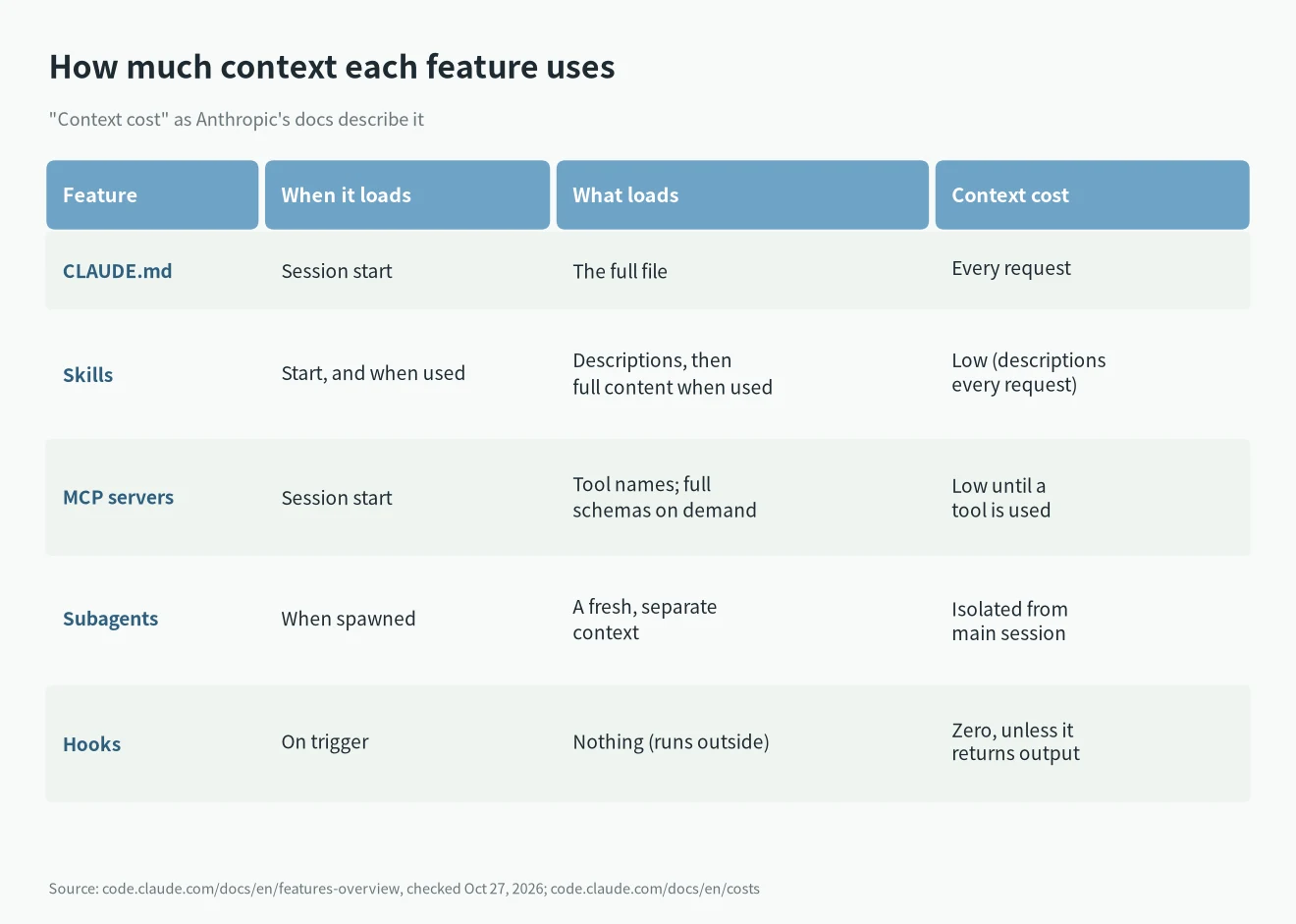
A few things follow from that table:
- An idle skill costs very little, because only its description sits in context. If you set
disable-model-invocation: truein the skill’s header, even the description stays out, and the skill only loads when you type its command. - MCP tool search is on by default, so idle MCP tools take little space too. The cost shows up when a tool returns a lot of data. Claude Code warns when one MCP tool result goes over 10,000 tokens and caps it at 25,000 tokens by default. You can change the cap with
MAX_MCP_OUTPUT_TOKENS. - Anthropic’s own advice on the cost page is to prefer command-line tools such as
gh,awsorgcloudwhen they exist, because they “are still more context-efficient than MCP servers”. It also says to disable servers you aren’t using. - On a Pro, Max, Team or Enterprise plan,
/usageshows how much of your recent usage went to skills, subagents, plugins and individual MCP servers. I’d check that before buying a bigger plan. My notes on how the Claude 5-hour and weekly limits work explain why this adds up.
To see the actual numbers in your own session, run /context all. It shows how many tokens each loaded MCP tool uses.
Where hooks and plugins fit
Hooks are the one to use when something has to happen every single time. A skill is a request Claude reads and follows, so “outcome can vary”. A hook “fires on its event without Claude deciding”. Anthropic’s example: an instruction like “never edit .env” in a skill is a request, while a PreToolUse hook that blocks the edit is enforcement. Hooks live in ~/.claude/settings.json for all projects or .claude/settings.json for one repo, according to the hooks reference.
Plugins aren’t a fourth kind of feature. The plugins overview calls a plugin “a directory of skills, agents, hooks, MCP servers, or other components” that installs as one unit, with a manifest at .claude-plugin/plugin.json. Plugin skills get a namespace, like /my-plugin:review, so two plugins can’t clash. You browse and install them with /plugin.
One thing to know before installing a pile of them: “An enabled plugin is part of every session, not only the sessions where you use it.” Its MCP servers run alongside each session and its hooks keep firing. Plugins in Anthropic’s official marketplace show a Context cost estimate on the Marketplaces tab, and you can turn one off with /plugin or claude plugin disable without uninstalling it. If you want ideas, I keep a list of the Claude Code mods I’d actually install, and I wrote up how I built my first plugin.
Which one should you use? Claude Code skills vs MCP by situation
Anthropic has a handy list of triggers for when to add each feature. I turned it into this table:
| If this keeps happening | Add this |
|---|---|
| You type the same prompt to start a task | A skill you call with /name |
| You paste the same playbook into chat for the third time | A skill |
| You copy data from a browser tab Claude can’t see | An MCP server |
| Claude gets a convention or command wrong twice | A line in CLAUDE.md |
| You want something to happen every time without asking | A hook |
| A side task floods your chat with output you won’t need | A subagent |
| A second repository needs the same setup | A plugin |
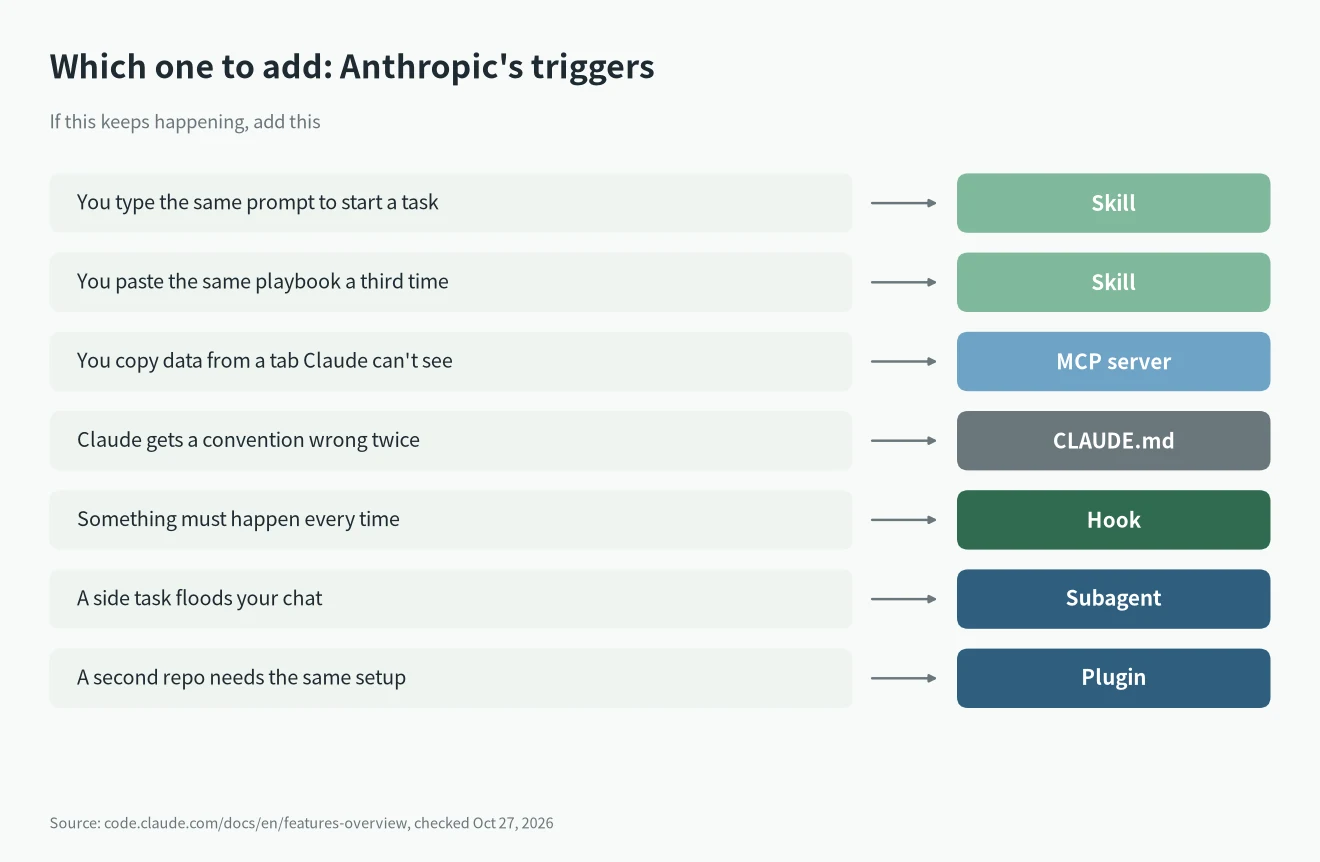
My own rule for Claude Code skills vs MCP: start with a skill if the problem is that Claude doesn’t know how you work. Add an MCP server only when Claude truly needs live data or actions in another system, and check first whether a CLI already does the job. Keep CLAUDE.md short; Anthropic suggests under 200 lines and moving reference material into skills.
If you’re just getting started, my Claude Code install guide covers setup, and my post on effort levels explains the other big lever on how much each request costs.
Where each one lives
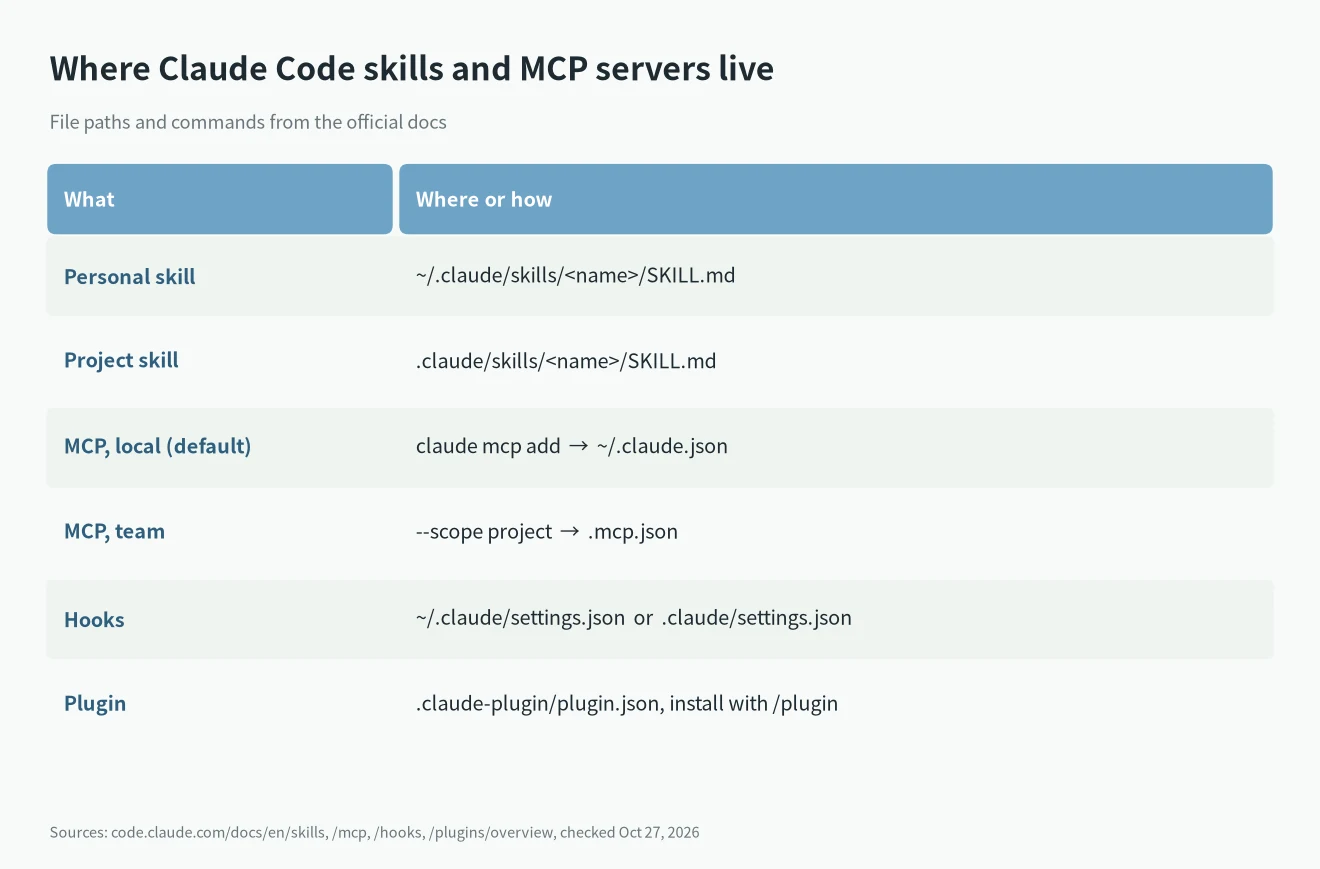
| What | Where or how |
|---|---|
| Personal skill | ~/.claude/skills/ |
| Project skill | .claude/skills/ |
| MCP server, local (default) | claude mcp add, saved in ~/.claude.json |
| MCP server, shared with team | --scope project, saved in .mcp.json |
| Hooks | ~/.claude/settings.json or .claude/settings.json |
| Plugin | .claude-plugin/plugin.json, installed with /plugin |
FAQ
Is a Claude Code skill the same as a slash command?
Close. Custom commands have been merged into skills. A file in .claude/commands/ and a skill in .claude/skills/ both create the same /command. Skills add a folder for extra files, control over who can call them, and automatic loading.
Can a skill use an MCP server?
Yes, and that’s the combination Anthropic recommends. The MCP server gives Claude the tools, and the skill explains how your team wants them used, such as your database schema or your Slack message format.
Claude Code skills vs MCP: which makes my plan run out faster?
Both add some tokens. An unused skill adds its description to each request, and an unused MCP server adds its tool names. The bigger cost is what gets pulled in when they run. /usage on paid plans shows the split, and my Claude Pro vs Max comparison helps if you’re deciding whether to upgrade.
Do I need a plugin to use skills or MCP?
No. The plugins page says skills, subagents, hooks and MCP servers “all work on their own, without a plugin”. A plugin is only worth it when you want to share or reuse a whole setup.
If you’re still choosing a tool, my Claude Code vs Codex comparison covers which one is worth paying for.